
School security teams are working with a real operational mismatch. The screening approaches that defined entry security a decade ago were designed for airports and courthouses, not for campuses where every student arrives carrying a laptop, tablet, or Chromebook as standard equipment. AI-powered school weapons detection systems now offer a way to identify concealed threats without forcing students to empty bags, remove devices, or wait in lines that cut into instructional time.
This guide covers how non-invasive weapons detection works, what to look for when evaluating systems, and how to implement the technology across K-12 and university campuses. Xtract One delivers AI-powered weapons detection purpose-built for education environments, and we’ll reference specific capabilities throughout to illustrate what the technology looks like in practice.
Key Takeaways
- Non-invasive weapons detection systems use AI to identify threats without requiring students to remove personal items or undergo manual checks
- Reducing bag checks and secondary screening rates directly recovers instructional time and reduces staffing demands at entry points
- AI-powered screening distinguishes genuine threats from everyday items like laptops, phones, and binders with high accuracy
- Xtract One Gateway reduces secondary screening by up to 4x compared to legacy screening approaches in school environments
- Detection accuracy, throughput, privacy, and integration with existing operations are the criteria that matter most when schools evaluate systems
What Are Non-Invasive School Weapons Detection Systems?
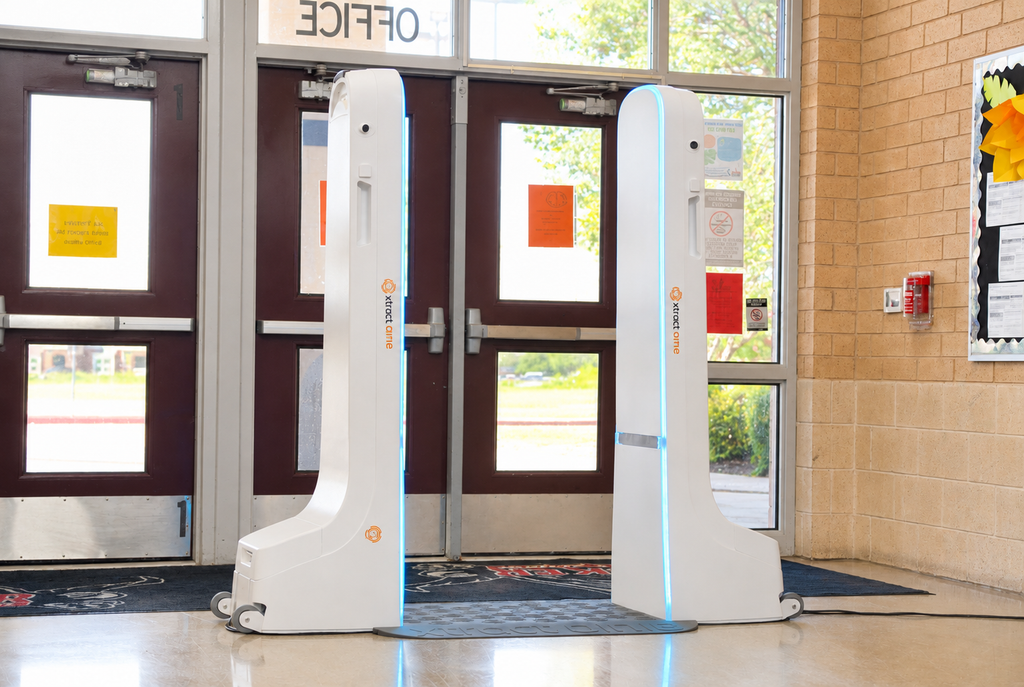
Non-invasive school weapons detection systems screen students, staff, and visitors for concealed weapons as they walk through an entry point at a natural pace. They rely on AI-powered sensors rather than broad metal detection to identify specific threat objects.
The defining characteristic is selectivity. Rather than alerting on every metallic object a student carries, AI-based systems analyze shape, material composition, and threat patterns to distinguish a concealed firearm from a laptop or a set of keys. Students keep their backpacks, devices, and personal items with them throughout the screening process. There are no conveyor belts, no divestment bins, and no requirement to separate bags from the body.
Why Schools Are Moving Away from Traditional Screening
Traditional screening methods were never built for school environments. A typical high school with 1,500 students running a one-to-one device program faces an operational problem when every student triggers an alert because of the 3-ring binder, smartphone, or laptop in their backpack.
When alert volumes become unmanageable, security staff begin making informal judgments about which students to screen. At that point, the security value of the program has quietly disappeared, even if the equipment is still running.
Schools report losing 15 to 30 minutes of instructional time each morning to entry processing when using conventional approaches. Over an academic year, that lost time accumulates in ways that are measurable and avoidable.
How High Alert Rates Affect School Security Operations
When a screening system alerts on every phone, water bottle, and tablet, staff face a constant stream of responses that carry no useful information. The volume creates fatigue and pulls attention away from the alerts that matter.
Security staff end up managing logistics rather than identifying genuine threats. Students are frustrated. Actual risks become harder to detect in the noise. The more items a school’s students carry as part of their learning program, the less effective traditional screening becomes at its primary job.
How AI-Powered Weapons Detection Works in Schools
AI-powered weapons detection uses multi-sensor analysis trained on thousands of walkthroughs to classify objects. When a student passes through, the system extracts features based on object size, shape, and material to determine whether an item represents a genuine threat or an everyday personal belonging.
When the system alerts, it identifies the type of threat object and its approximate location on the individual. Security staff receive actionable information rather than a generic alarm, making their response purposeful and informed. The technology is software-driven and adaptive. As new threat profiles emerge, the system receives updates that expand detection capabilities without requiring hardware replacement.
What Types of Threats Can AI Detection Systems Identify?
AI-powered screening systems identify firearms including concealed handguns, as well as knives and other prohibited items. Detection occurs even when items are hidden under clothing or inside bags.
At the same time, these systems accurately recognize non-threatening objects like laptops, tablets, phones, keys, water bottles, eyeglass cases, and the varied contents of student backpacks. That dual capability is what enables the dramatic reduction in unnecessary screening events.
How Non-Invasive Detection Reduces Bag Checks and Secondary Screening
When a system can accurately distinguish threats from everyday items, it only flags individuals who require further attention. Everyone else moves at a natural walking pace without interruption.
Xtract One Gateway reduces secondary screening requirements by up to 4x in school environments. Students walk through carrying their backpacks, Chromebooks, binders, and personal electronics without triggering alerts on those items. For security teams, fewer staff are needed for manual follow-up and more attention goes to high-value security work. For students, it means getting to class on time and not feeling a loss of privacy every time they come to school.
What a Typical Morning Entry Looks Like With Non-Invasive Weapons Screening
Students arrive and walk through the screening gateway at their normal pace. No stopping, no removing items from bags, no holding laptops overhead. The system processes each individual in real time.
If a threat is detected, the system displays the type and location of the object, directing that individual to a targeted secondary screen. Everyone else moves through without interruption, maintaining the natural flow of a school morning.
Evaluation Criteria for School Weapons Detection Systems
Choosing the right system requires evaluating factors that directly affect daily operations and long-term security outcomes. The Partner Alliance for Safer Schools (PASS) 2025 white paper on weapon detection technology outlines key evaluation principles. Here are the criteria that matter most for education environments.
Detection Accuracy and False Alert Rate
Ask what specific objects the system can identify and how it performs with the items your students carry daily. A system designed for school environments should handle laptops, tablets, binders, calculators, and personal electronics without generating alerts. Request data on alert rates during pilot testing in environments similar to yours. The lower the false alert rate, the less staff time is consumed by unnecessary follow-up and the more trust your community places in the program.
Throughput and Entry Speed
Schools have concentrated arrival windows. A system must process your student population quickly enough to avoid creating lines during morning entry, class changes, and dismissal. Xtract One Gateway processes up to 3,000 individuals per hour per lane at a natural walking pace. For a typical K-12 school, that throughput means even peak arrival periods remain manageable with minimal staffing.
Privacy
Students and families expect screening to respect individual privacy. Unlike X-ray based approaches that display bag contents on screens, AI-powered systems like Xtract One’s school security solution identify threats through sensor analysis without exposing personal belongings to security personnel. That distinction matters for community trust and for maintaining the welcoming atmosphere schools need to support learning.
Integration With Existing Operations
The right system fits into your current entry points and workflows rather than requiring you to redesign your building. Consider physical space requirements, staff training needs, and compatibility with existing security infrastructure. A vendor who evaluates your specific entrance configurations, traffic patterns, and operational requirements before recommending a configuration will deliver something that actually works for your campus.
Adaptability and Software Updates
Threat profiles change. A system that relies solely on static hardware capabilities won’t keep pace with emerging risks. Software-driven platforms that receive regular updates can expand detection capabilities without equipment replacement, protecting your investment and keeping the program effective over time.
How Xtract One Gateway Addresses Education-Specific Challenges
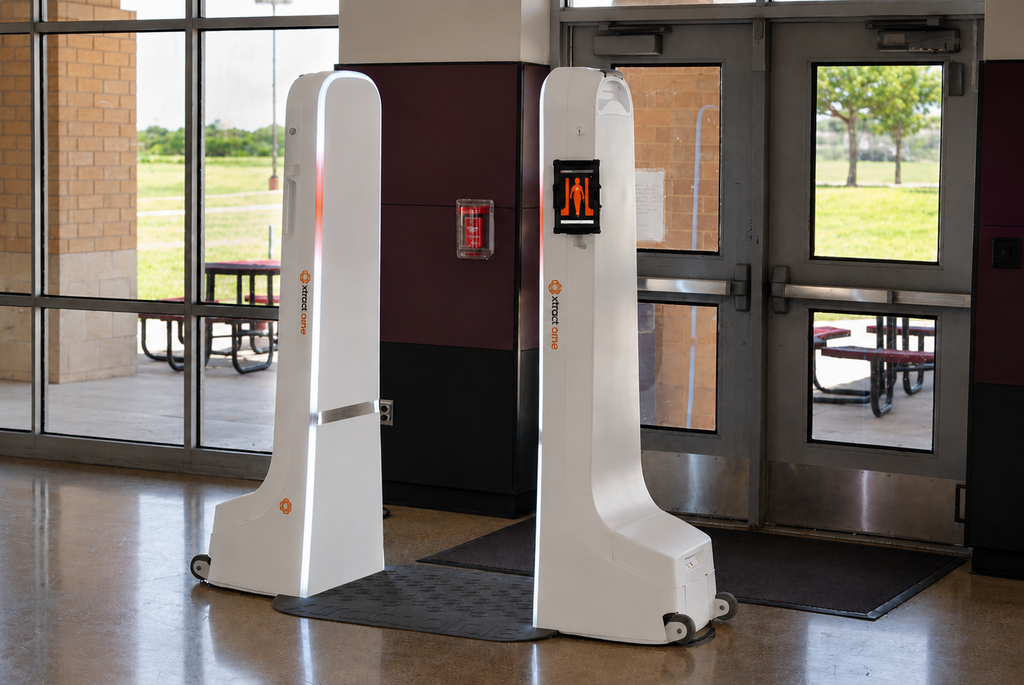
Xtract One Gateway was purpose-built for environments where individuals carry medium volumes of personal belongings. Schools running one-to-one device programs, where every student carries a laptop or Chromebook daily, represent exactly that use case.
The system eliminates the need for separate bag lines and searches. Students walk through the same checkpoint regardless of what they carry, and the AI distinguishes their school supplies from actual threats. Manor ISD in Texas deployed Xtract One Gateway across its high school campuses after a safety audit identified entry security as a priority. The district has since expanded the program based on results.
For security staff, the system displays precise threat information and location when an alert occurs, enabling quick and informed decisions rather than guesswork.
Questions to Ask During a Vendor Evaluation
When evaluating weapons detection vendors for your school or university, these questions help you move past marketing claims and understand real-world performance.
Performance Questions
How does the system perform with the specific items your student population carries? Can you run a pilot in your facility before committing to full deployment? What is the measured secondary screening rate during testing in school environments?
Operational Questions
How much physical space does the system require at your entry points? How long does staff training take, and what ongoing training is needed? What information does security staff receive when the system detects a threat?
Support and Maintenance Questions
What does ongoing support include? How are software updates delivered and managed? Is there a centralized management platform for schools with multiple entry points or campuses? Xtract One View addresses multi-campus management by providing centralized oversight of all deployed systems from a single interface, allowing administrators to monitor, adjust settings, and access data across locations.
Step-by-Step Guide to Implementing Non-Invasive Weapons Detection
Step 1: Conduct a Security Audit
Document your current entry security operations. How many entrances need coverage? What is your peak arrival volume? What items do students carry daily? Where are the pain points in your current process? This baseline data informs the solution design and gives you clear metrics to measure improvement against after deployment.
Step 2: Define Your Requirements
Specify what matters most for your campus. Throughput targets, staffing constraints, space limitations, privacy expectations, and integration with existing systems all shape the right solution configuration. Involve stakeholders from security, facilities, technology, and administration early so all perspectives are captured.
Step 3: Request a Site Assessment
A vendor site assessment evaluates your specific entrance configurations, student flow dynamics, and existing infrastructure. Good site assessments include analysis of morning arrival patterns, peak-hour volume data, and physical space constraints at each entry point. The goal is a solution matched to your operational reality rather than a generic template.
Step 4: Run a Pilot Program
Pilot deployments let you test performance with your actual student population, entry patterns, and facility layout. Measure alert rates, processing speed, staff feedback, and student experience during the pilot period. Use pilot data to validate vendor claims and build the evidence base your board or district leadership needs to approve full deployment.
Step 5: Train Staff and Communicate With Your Community
Security personnel need training on system operation, alert response procedures, and the shift in workflow from managing constant alerts to responding to specific, actionable information. Clear messaging about how the system works, what it does and doesn’t detect, and how it preserves privacy helps build community buy-in before and during deployment.
Step 6: Deploy and Monitor
Full deployment should include ongoing performance monitoring. Track secondary screening rates, entry processing times, and staff feedback. Use that data to refine settings and optimize operations over time.
Funding Opportunities for School Weapons Detection in 2026
Budgeting for security technology is a real consideration for school districts. In Texas, HB 2 has made $430 million available for school safety technology, with per-campus allocations that give districts financial runway to invest proactively. Other states have introduced similar legislative funding tied to school safety improvements.
Federal grant programs through the Department of Justice and Department of Homeland Security also fund school safety technology. Districts that approach funding with a clear implementation plan and measurable security goals tend to secure approvals more efficiently than those that submit reactive requests.
How Non-Invasive Detection Supports the Learning Environment
When implemented well, weapons detection becomes a background element that supports rather than disrupts the school day. Students who walk into school without facing lines, bag emptying, or confrontational security interactions start their day in a better mental state for learning. Teachers gain back instructional minutes. Security staff focus on genuine threats rather than managing logistics.
Schools running one-to-one device programs benefit especially, because students maintain consistent access to the technology tools their curriculum depends on.
University and Higher Education Considerations
Higher education campuses face distinct challenges compared to K-12 schools. Student populations are larger and more diverse, buildings have multiple entrances with varying traffic patterns, and campus hours extend well beyond a traditional school day.
University security administrators need systems that handle high volumes during class transitions while accommodating the varied personal items graduate students, researchers, and faculty carry. Centralized management across multiple buildings becomes critical at the university level. Xtract One View enables administrators to oversee screening operations across an entire campus from a single dashboard, adjusting settings and monitoring performance without visiting each location.
How to Choose the Right Weapons Detection System for Your School
Selecting a non-invasive AI-powered weapons detection system comes down to matching the technology to your school’s specific operational needs. Prioritize systems that reduce your secondary screening volume, process your student population without creating entry delays, and respect the privacy of your community.
Ask for pilot programs. Demand real performance data. Evaluate how the system handles the everyday items your students carry. The right solution makes your school safer while keeping the focus on education.
If you’re ready to explore what AI-powered weapons detection looks like in your school environment, connect with Xtract One to schedule a site assessment tailored to your campus.
FAQs About Non-Invasive School Weapons Detection
What makes a weapons detection system non-invasive?
A non-invasive system screens individuals without requiring them to stop, remove items, or undergo manual searches. Students walk through at a natural pace with their bags and devices, and the system detects threats through AI-powered sensors rather than broad metal detection.
Can students carry laptops and backpacks through AI-powered screening?
Yes. Xtract One Gateway is specifically designed for environments where individuals carry personal belongings like laptops, tablets, binders, and backpacks. The AI distinguishes these everyday school items from actual threats, so students keep everything with them.
How does Xtract One Gateway reduce secondary screening in schools?
Xtract One Gateway reduces secondary screening by up to 4x by accurately classifying objects during the initial walkthrough. Because the system identifies specific threat objects rather than alerting on all metal, only individuals carrying genuine threats are directed to follow-up screening.
Is AI-powered weapons detection safe for students and children?
Yes. Xtract One Gateway emits electromagnetic fields significantly below the maximum allowable intensity for human exposure as established by ICNIRP, IEEE, and NHMRC safety standards. No special exceptions are required for children or pregnant individuals.
How long does it take to implement weapons detection at a school?
Implementation timelines vary based on the number of entry points and facility complexity. After a site assessment, Xtract One deploys systems with staff training included. Pilot programs are standard practice, allowing schools to validate performance before full commitment.
What funding is available for school weapons detection in 2026?
Multiple funding sources exist, including state safety allocations like Texas HB 2, federal grant programs through the Department of Justice and DHS, and district safety budgets. Consult your district’s grant office to identify programs applicable to your specific location and needs.
How does non-invasive screening protect student privacy?
Xtract One Gateway identifies threats through sensor analysis without revealing personal belongings. When an alert occurs, staff see the type and location of the detected threat object, not a visual of everything in the student’s bag.